Anime Style Ai Photo Editing Prompt
0Likes
60Views
0Comments
AI Prompt Used
Ultra-Realistic Image Generation Prompt
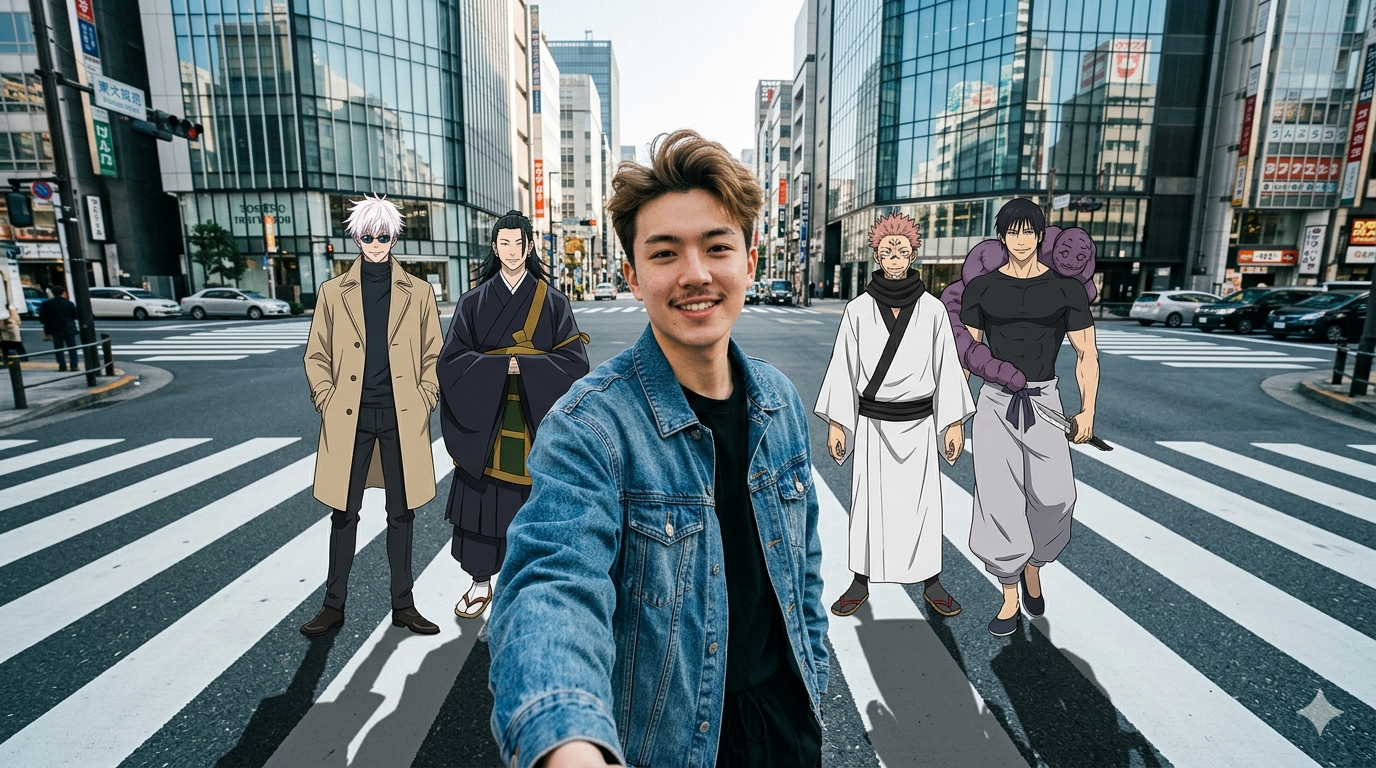
Ultra-realistic wide-angle selfie photo taken at arm’s length, captured on a busy Tokyo city street crosswalk. The setting is a modern Japanese urban intersection featuring clean white zebra-crossing lines, glass buildings, stopped cars, and pedestrians far in the distance only. Natural daytime lighting with realistic ambience. The image must look like professional cinematic street photography.
Foreground – Selfie Taker (Fully Realistic Human)
A realistic young man confidently taking a selfie, looking directly into the camera:
Wearing a oversized denim jacket with clear, realistic fabric texture
Black t-shirt underneath Black baggy pants Quiff-style, tousled mid-length black hair
Kpop hair style, natural skin texture, realistic pores and correct facial proportions
Modern street-fashion aesthetic
Must appear 100% real human, photo-realistic, DSLR-quality detail
No other phone or camera visible in the frame (selfie implied by arm’s-length perspective only)
Background – Anime Characters (Anime Style, Integrated into Real World)
Positioned behind the selfie taker, rendered in clean 2D anime style (Jujutsu Kaisen art style), perfectly composited into the real environment with accurate scale, perspective, lighting, and ground shadows:
Gojo saturo
Ryomen Sukuna
Short spiky pink hair
Black curse markings on face
White kimono robe with dark sash and black scarf
Confident smirk, relaxed hand gesture Suguru Geto Long black hair tied in a man bun Calm, serious expression Dark high-neck robe uniform Toji Fushiguro Tall, muscular build Short dark hair Tight black t-shirt with light waist cloth
Holding a combat knife raised over shoulder
Purple cursed spirit wrapped around his body
Camera & QualityShot on a high-end smartphone camera, wide-angle lens, natural daylight, sharp focus, subtle shallow depth of field, realistic shadows under feet, accurate street reflections, cinematic color grading, HDR, 8K-level detail.
Style Rules
Human subject and environment must be fully realistic, anime characters remain anime only, perfect blending into the real world, no cartoonish background, no blur, no distortion, no extra people added, clean premium cinematic look is critical, no smile model vibe aura farming vibe.
Click or tap to copy
About This AI Prompt
Anime Style Ai Photo Editing Prompts – In today’s times, AI photo editing has become a major trend. If you, too, wish to transform one of your ordinary photos into an image featuring an anime-style character, then this editing tutorial is just for you. In this article, we will explain in great detail exactly how this editing can be performed—specifically, how you can create such images using tools like Google Gemini. As you may already know, editing photos in this style is an incredibly simple task within Google Gemini. Let’s understand exactly how you can do it. You won’t encounter any difficulties whatsoever while performing this edit; simply follow the entire process step-by-step.
Comments
Add a Comment
No comments yet. Be the first to share your thoughts!