Trending Couple Gemini Ai Photo Editing Prompt
0Likes
75Views
0Comments
AI Prompt Used
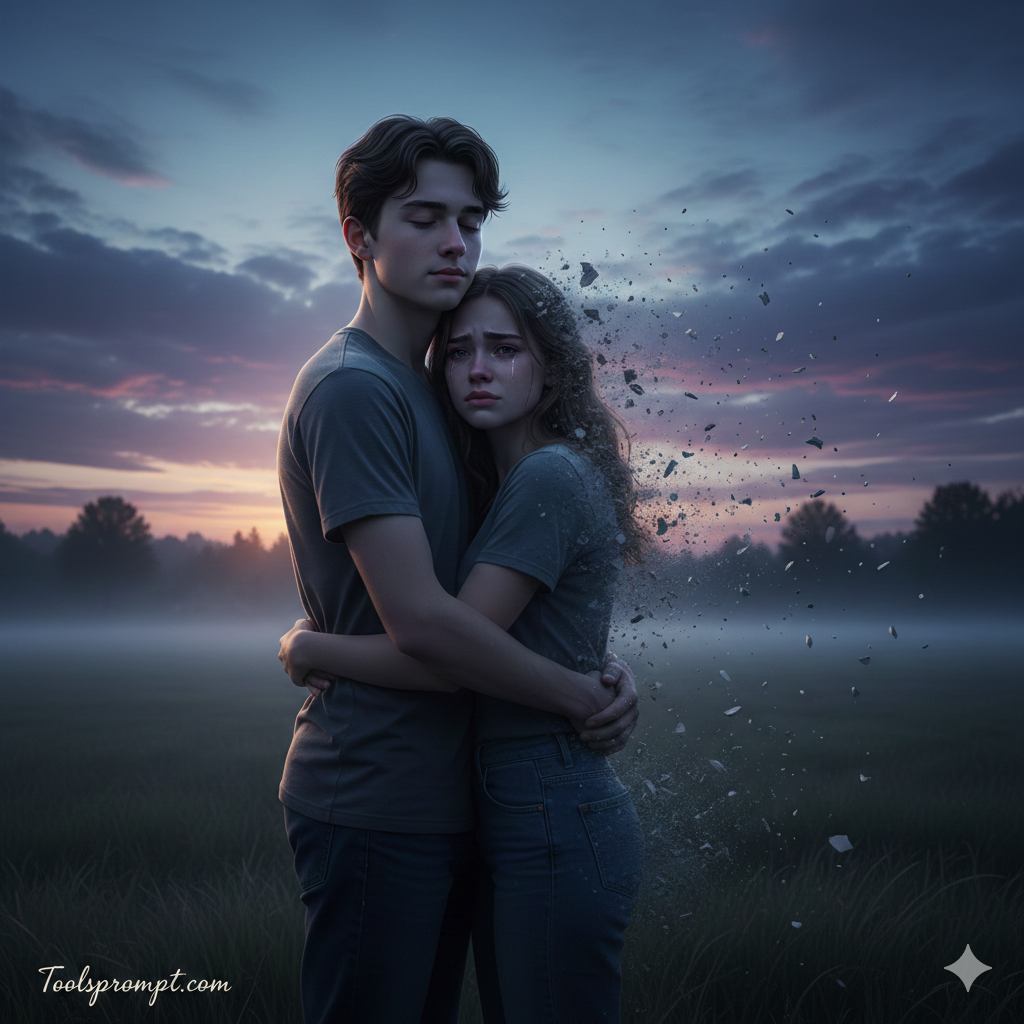
FACE LOCK – STRICT IDENTITY MATCH Use uploaded reference images for both faces. Faces must remain EXACTLY the same as the reference images. Do NOT change: Face shape Eye size, color, or expression Nose, lips, jawline Skin tone Hairline or beard pattern Age appearance No beautification. No reshaping. No symmetry correction. No smoothing filters. Keep natural pores, subtle skin texture, realistic imperfections. Ultra sharp facial clarity. SCENE CONCEPT Ultra-realistic cinematic dusk scene in an open rural field. Sky filled with deep blue and purple sunset tones. Low fog moving gently across the grass. A young couple stands in the middle of the field, tightly embracing each other. The boy is gradually disintegrating into fine grey ash and drifting smoke starting from his back and shoulders. The particles break apart naturally, carried by wind toward the right side of the frame. The transformation must look physically realistic — no fantasy glow, no magical sparkles — only subtle smoke dispersion and ash fragments dissolving into the air. EMOTIONAL DETAIL Boy: soft, calm acceptance expression, eyes slightly closed. Girl: visible heartbreak, eyebrows slightly tightened, lips pressed together in sadness. Tears forming but natural, not exaggerated. Real human emotion — cinematic but grounded. BACKGROUND Dark open field with tall grass moving in wind. Distant tree silhouettes. Clouds layered dramatically in the sky. Subtle mist in the mid-ground for depth. LIGHTING Soft backlight from fading sunset creating rim highlights around their bodies. Cool ambient fill from the sky. Deep cinematic shadows. Natural dynamic range. Ash particles illuminated subtly by side light for realism. CAMERA & QUALITY Full-body to mid-shot framing. 85mm lens look. DSLR cinematic realism. 8K resolution. Sharp focus on faces. Natural depth separation (no artificial blur). Ultra-detailed clothing fibers visible. TEXT / SIGNATURE Add “Toolsprompt.com” at the bottom-left corner, HANDWRITTEN SIGNATURE-STYLE typography, thin cursive strokes, small size, subtle premium elegance, white or soft off-white color. NEGATIVE PROMPT cartoon style, fantasy aura, glowing particles, blur, low resolution, oversharpen, plastic skin, distorted anatomy, extra limbs, watermark (except signature), artificial lighting. ASPECT RATIO • 3:4 vertical
Click or tap to copy
About This AI Prompt
Google Imagen 3 Google's most advanced text-to-image model with photorealistic quality. Whether you need photorealistic, detailed rendering, text integration, this platform delivers exceptional results for your creative projects.
Comments
Add a Comment
No comments yet. Be the first to share your thoughts!