
Viral Pre-Wedding Ai Prompt Create Couple pic

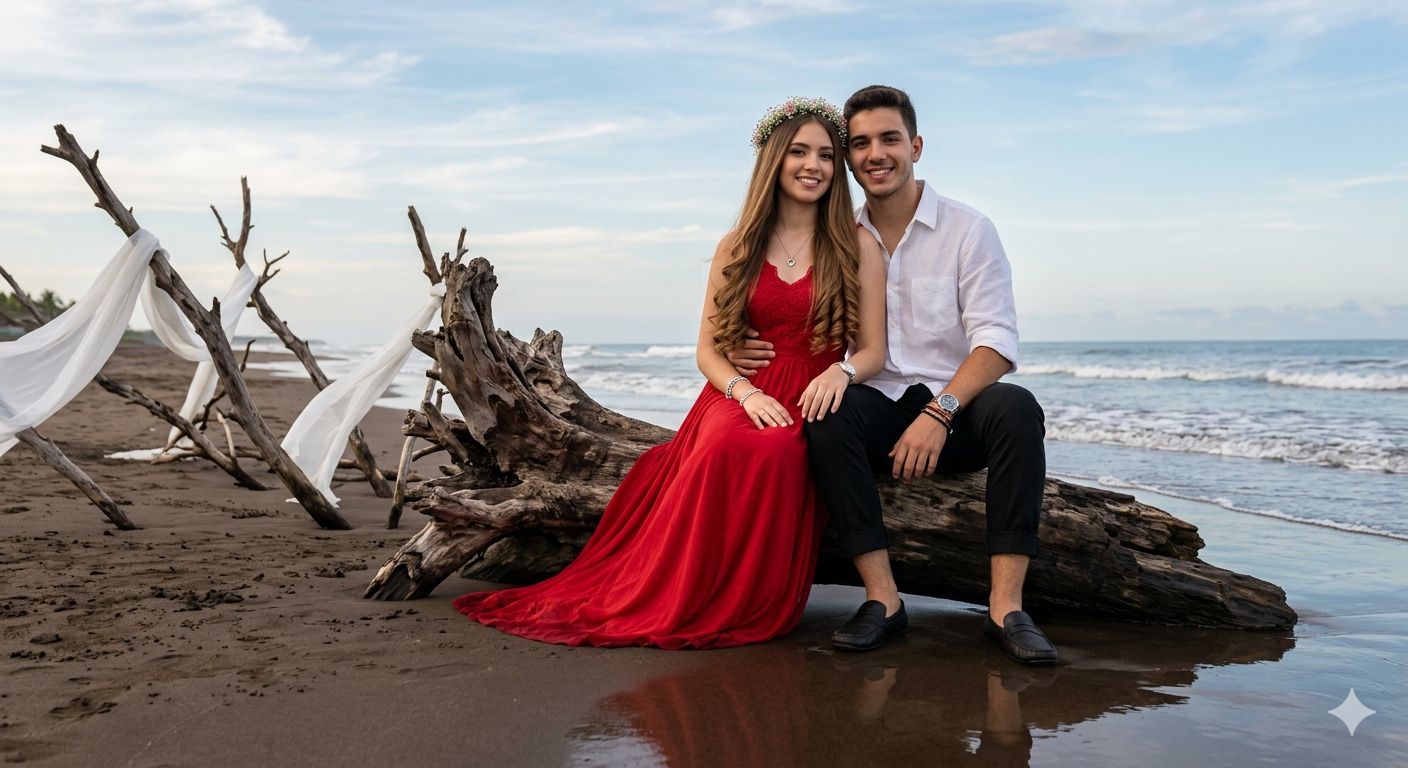
Viral Pre-Wedding Ai Prompt Create Couple pic - AI Generated Image
AI Prompt Used

Girl Outfit: She is wearing long red pre-wedding gown, long straight hair with princess curl on ends... [Full prompt text available after purchase]
Click or tap to copy

About This AI Prompt

Pre Wedding Ai photo Editing Prompts – In today’s times, pre-wedding photoshoots have become a popular trend even before the actual wedding takes place. Every couple desires their pre-wedding photos to look absolutely cinematic, realistic, and romantic. However, since not everyone has the budget for an expensive professional photoshoot, we have brought you a solution that allows you to create such stunning pre-wedding photos right from the comfort of your own home. If you are a couple, this article is specifically for you; it is not intended for single individuals. Those who are about to get married and wish to have a pre-wedding shoot can now do so with absolute ease. Simply keep two of your regular photos ready, and Google will take care of the rest. In this article, we will learn how to utilize Gemini, how to craft the best prompts, and how to generate truly realistic images. We will also share various tips and tricks with you to ensure that you encounter no difficulties whatsoever in creating your desired photos.

You Might Like:

Comments

Add a Comment

Max 1000 characters. Your comment will be publicly visible.
Note: Your email will not be published.

No comments yet. Be the first to share your thoughts!

Follow on Insta Subscribe On YT Join Whatsapp
Uploaded preview
5s
0 credits
Generated Image

Community

Have a prompt idea? Share it with the community!

Edit Prompt Page

Title

Preview Image

Upload a new image to replace the current one (JPEG / PNG / WebP, max 5MB). Leave empty to keep current. preview

About This AI Prompt

Description shown in the "About This Prompt" section.

AI Platform Comparison (HTML)

Advanced users: paste custom HTML for the platform comparison table. Leave empty to use the auto-generated version.

Top AI Tools

One tool per line: Name | Description | Best For | Price

Model-Specific Optimization Tips (HTML)

Custom HTML for the model-specific tips section. Leave empty to use the auto-generated version.

How To Use This Prompt

One step per line. Line breaks will be converted into numbered steps.

Expert Tips for Best Results

One tip per line.

Usage Tips

One tip per line.

Optimization Tips

One tip per line.