
Instagram Trending Ai Profile Photo Editing Prompt For Girls
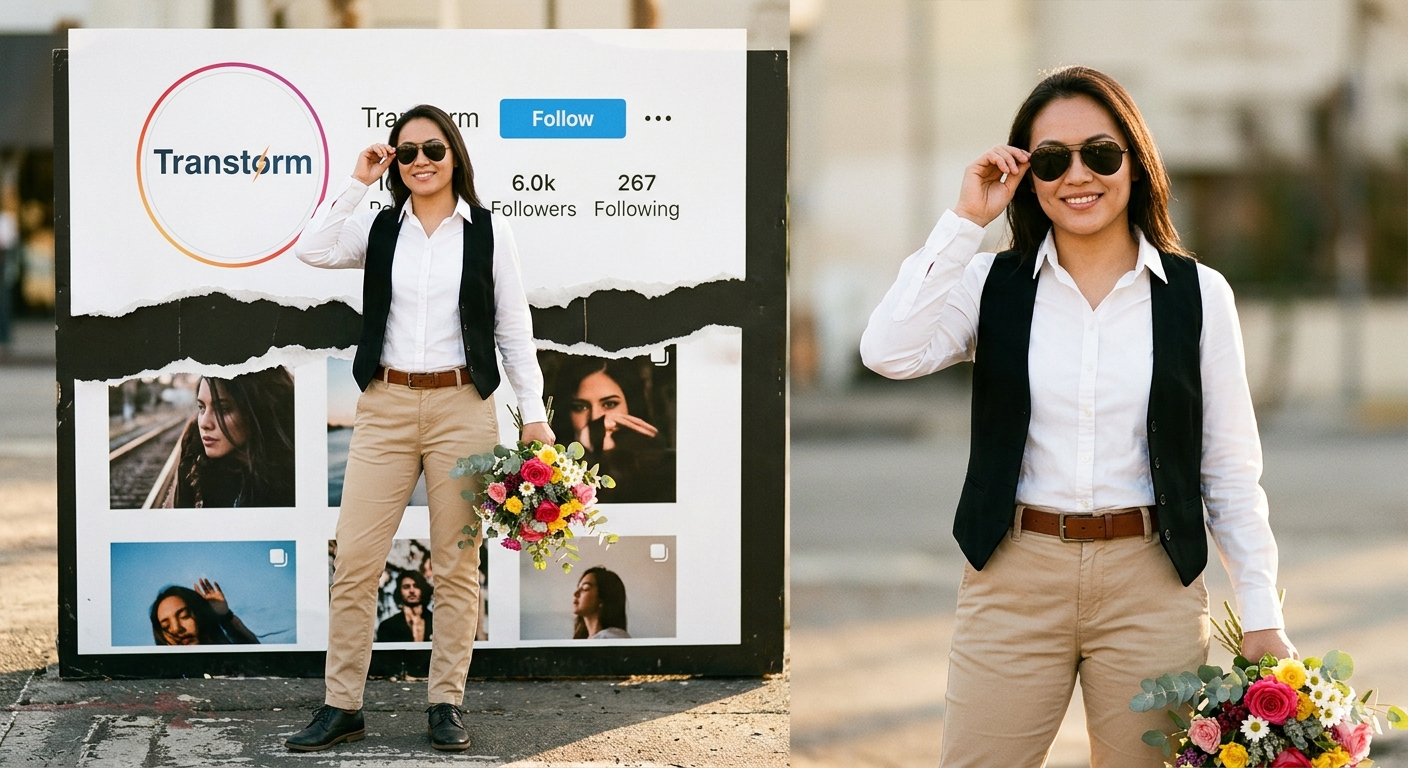
AI Prompt Used
About This AI Prompt
To create this image, the first step is to copy a prompt for a specific style from here. There are various styles available—for instance, the subject could be standing or sitting—but the common theme is that the image features a person with an Instagram profile displayed in the background. So, simply copy any one of these prompts from here. Next, click on “Create Image.” You will then be redirected to a Google webpage where you need to paste the copied prompt. After that, look for the “+” option and upload your photo there. As I mentioned earlier, ensure you upload the appropriate type of photo, along with a screenshot. Once done, click “Generate,” and within a few seconds, you will see that your image—featuring the Instagram profile background—is ready. You can now easily save it and post it wherever you like.
AI Platform Comparison (32+ Models)
AI Photo Platform Comparison (32+ Models)
Choose from over 32 leading AI image platforms. Compare features, pricing, and best use cases:
| Platform | Best For | Pricing | Category | Key Strength |
|---|---|---|---|---|
| Google Imagen 3 Recommended | Photorealistic images, product visualization | Free/Paid tiers | professional | photorealistic |
| DALL-E 3 | Artistic creations, marketing visuals | Credits system | professional | prompt accuracy |
| Midjourney V6 | Digital art, concept art, fantasy | Paid subscription | artistic | artistic styles |
| Stable Diffusion 3 | Custom models, research, local generation | Free/Paid | open-source | open-source |
| Adobe Firefly Image | Commercial projects, design work | Adobe subscription | professional | commercial safe |
| Leonardo Creative | Professional art, commercial projects | Token system | professional | style consistency |
| Ideogram 2.0 | Graphic design, text-heavy images | Free/Paid | design | typography |
| Canva AI | Social media graphics, presentations | Free/Pro | design | templates |
| Playground AI V2 | Creative exploration, experimentation | Free/Paid | creative | fine-tuning |
| Runway Image Generation | Multi-modal projects, video+image | Subscription | professional | integration |
| NightCafe Creator | Artistic exploration, community engagement | Credit system | artistic | multiple algorithms |
| Wombo Dream | Mobile creation, quick art | Free/Paid | mobile | mobile |
| Getty Generative AI | Commercial use, licensed content | Paid | commercial | legal protection |
| Craiyon V3 | Quick testing, casual use | Free | free | completely free |
| Bing Image Creator | Free generation, quick results | Free | free | free DALL-E |
Quick recommendations:
- For professionals: Google Imagen 3, DALL-E 3, Midjourney V6
- For designers: Adobe Firefly, Canva AI, Leonardo Creative
- For commercial use: Getty Generative, Shutterstock AI, Adobe Firefly
- For open source: Stable Diffusion 3, SDXL, SDXL Turbo
- For free: Craiyon V3, Bing Creator, BlueWillow V4
- For mobile: Wombo Dream, StarryAI, Picsart AI
Top AI Image Generation Tools
Google Imagen 3
Google's most advanced text-to-image model with photorealistic quality
DALL-E 3
OpenAI's leading image generation model with exceptional prompt comprehension
Midjourney V6
Premium artistic image generation with unparalleled style control
Stable Diffusion 3
Latest open-source image generation with improved quality and control
Adobe Firefly Image
Adobe's commercial-safe image generation with Creative Cloud integration
Leonardo Creative
Professional art generation with style consistency
Model-Specific Optimization Tips
Model-Specific Optimization
Midjourney
- Use
--ar 16:9for widescreen,--ar 9:16for mobile --style rawfor less opinionated,--style expressivefor artistic--chaos 0-100controls variation (higher = more diverse)--stylize 100-1000adjusts artistic interpretation
Stable Diffusion
- CFG Scale: 7-12 (balance between creativity and prompt adherence)
- Sampling Steps: 20-50 (higher = more detailed but slower)
- Negative prompts: Essential for removing unwanted elements
- Use
(keyword:1.3)for emphasis,[keyword]for de-emphasis
Google Gemini/Imagen
- Use natural, conversational language
- Include context and background information
- Ask for multiple variations in one request
- Use follow-up questions for refinements
Adobe Firefly
- Specify commercial-safe content requirements
- Use Adobe Stock references for consistency
- Integrate with Creative Cloud workflows
- Use style presets for quick professional results
Runway ML / Pika
- Specify exact duration (3-10 seconds) for optimal results
- Describe camera movements: "smooth zoom", "pan left", "dolly in"
- Include motion descriptors: "fluid", "dynamic", "cinematic"
- Mention transitions between scenes for complex videos
CapCut / InVideo
- Use templates as starting points for faster production
- Combine AI generation with stock footage for variety
- Add AI voiceovers for narration and storytelling
- Export in platform-specific formats (9:16 for Reels/Shorts)
How To Use This Prompt
Expert Tips for Best Results
- Be descriptive: Use specific, detailed language rather than vague terms
- Include artistic references: "in the style of [artist], [art movement]"
- Specify lighting and composition: "dramatic lighting, rule of thirds"
- Use quality modifiers: "highly detailed, 8k resolution, professional"
- Use weighted prompts: "(keyword:1.3)" to emphasize elements
- Experiment with different aspect ratios for various platforms
- Use negative prompts extensively to exclude unwanted elements
- Save successful seeds for consistent style reproduction
- Use image prompts with URLs for style reference
- Iterate systematically: Make small, specific changes between generations
Usage Tips
- Experiment with different art styles and mediums mentioned in the prompt
- Adjust parameters like aspect ratio, style, and quality settings
- Use style references for more consistent results
- Try varying the chaos/stylize parameters for more creative variations
- Combine with other prompts for hybrid styles
- Specify camera types and lenses for different photographic effects
- Use lighting terms like "golden hour" or "studio lighting"
- Include depth of field requirements for focus control
- Test the prompt across different AI platforms
- Keep a log of successful variations and parameters
Optimization Tips
- Use specific, descriptive language in your prompts for better AI understanding
- Include relevant keywords like 'instagram', 'trending' for targeted results
- Experiment with different parameter combinations to optimize outputs
- Save successful prompt variations for future reference and refinement
- Stay updated with the latest AI model capabilities and limitations
Comments
Add a Comment
No comments yet. Be the first to share your thoughts!