Viral Instagram Cinematic Flash Filter AI Photo Editing Prompt
0Likes
25Views
0Comments
AI Prompt Used
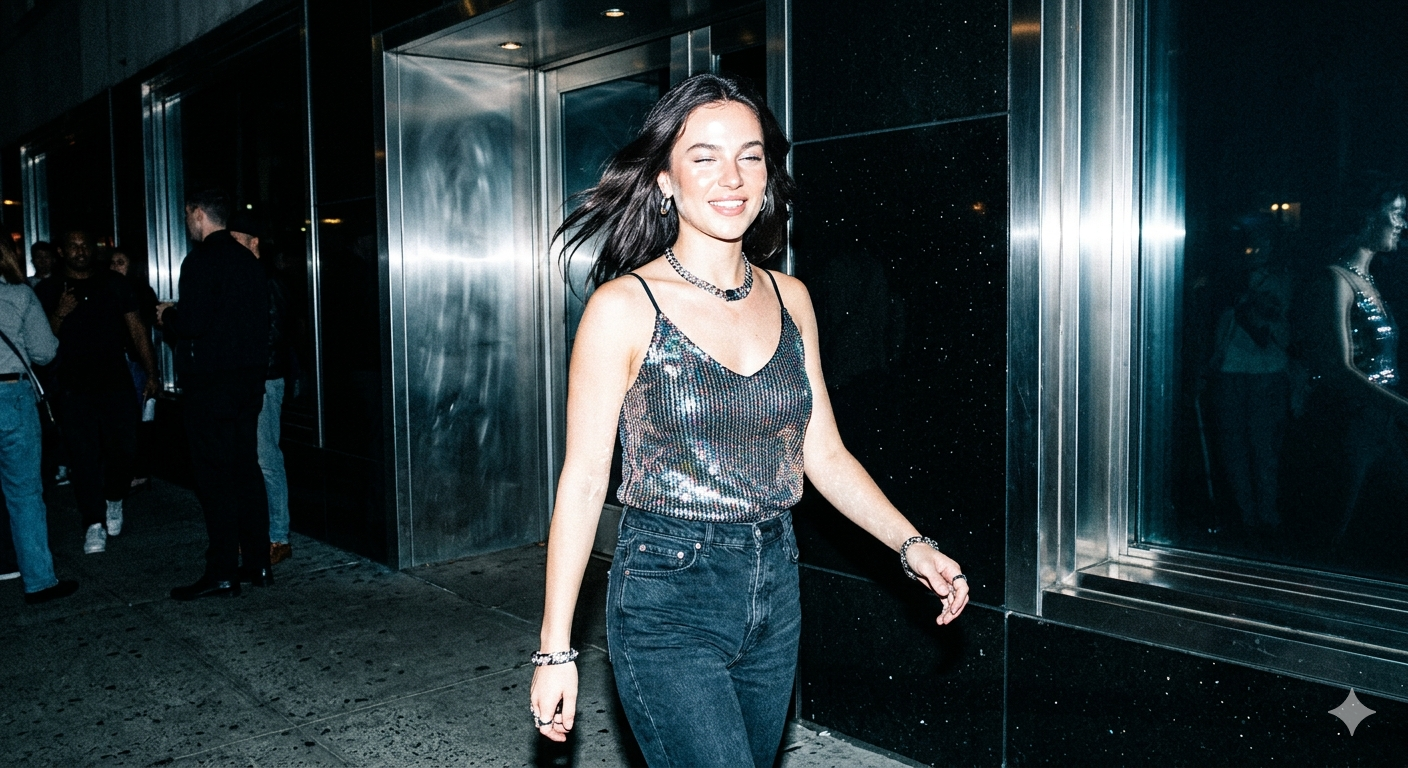
Apply a strong direct flash effect with high exposure and harsh lighting. Increase contrast and sharpness significantly. Add cool cyan/blue tones to shadows while keeping highlights slightly blown out. Skin tones should appear bright and slightly washed with a glossy flash look. Boost whites and reduce midtones for a punchy, high-fashion aesthetic. Add subtle noise and grain for a raw camera flash feel. Background should look darker and metallic with reflections enhanced. Overall look: paparazzi flash, night photography, bold, dramatic, Instagram restyle "flash" filter style.
Click or tap to copy
About This AI Prompt
This AI prompt trend replicates the signature Instagram cinematic flash filter — a high-contrast, flash-heavy aesthetic popularized by street photographers and influencers. Users feed the prompt into AI photo editors to transform ordinary snapshots into scenes that look ripped from a 35mm film roll. Keywords often include harsh front flash, red-eye effect, washed-out highlights, and cool undertones, creating nostalgic, grunge-meets-glamour visuals.
Comments
Add a Comment
No comments yet. Be the first to share your thoughts!