Instagram Cinematic Flash Filter AI Photo Editing Prompt
0Likes
60Views
0Comments
AI Prompt Used
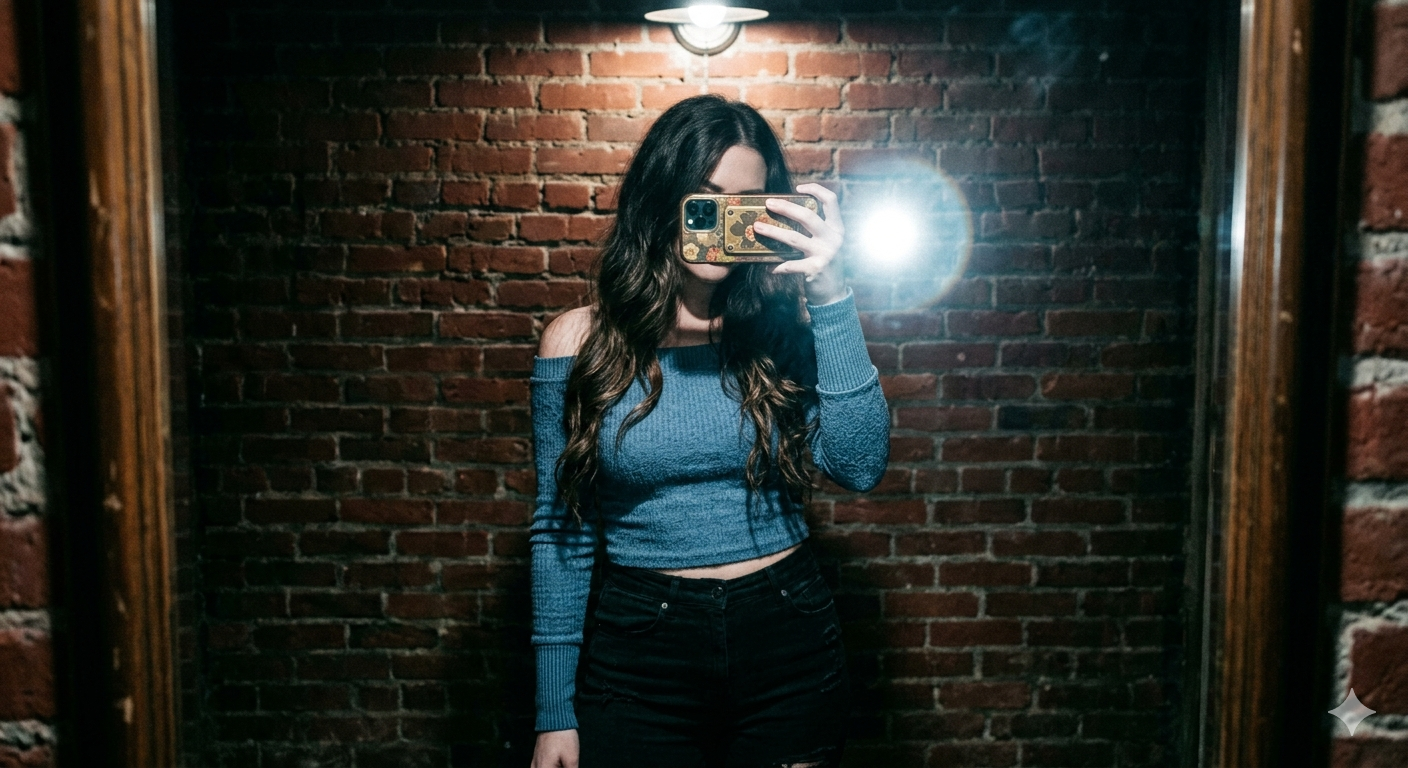
A high-contrast mirror selfie of a woman with long dark wavy hair. She is wearing a dusty blue off-the-shoulder long-sleeve crop top and high-waisted black trousers. She is holding a smartphone with a decorative case in front of her face, obscuring it. She stands against a vibrant red brick wall under a harsh overhead light that creates deep shadows and a cinematic film-noir vibe. The photo has a slightly grainy, 35mm film aesthetic with visible flash-glare and a cool-toned, moody atmosphere
Click or tap to copy
About This AI Prompt
The Instagram Cinematic Flash Filter AI Photo Editing Prompt is a trending prompt style used with AI image editors (like Midjourney, Adobe Firefly, or Gemini) to recreate Instagram's popular "cinematic flash" look. The prompt typically includes keywords like overexposed flash, deep shadows, teal and orange tones, grainy texture, and dramatic lighting. When applied to portraits, it produces moody, film-like photos that mimic retro disposable camera shots or indie movie stills.
Comments
Add a Comment
No comments yet. Be the first to share your thoughts!