
Viral Mahashivratri Ai Video Editing Prompt For Instagram Reels Create using Google Gemini
0Likes
150Views
0Comments
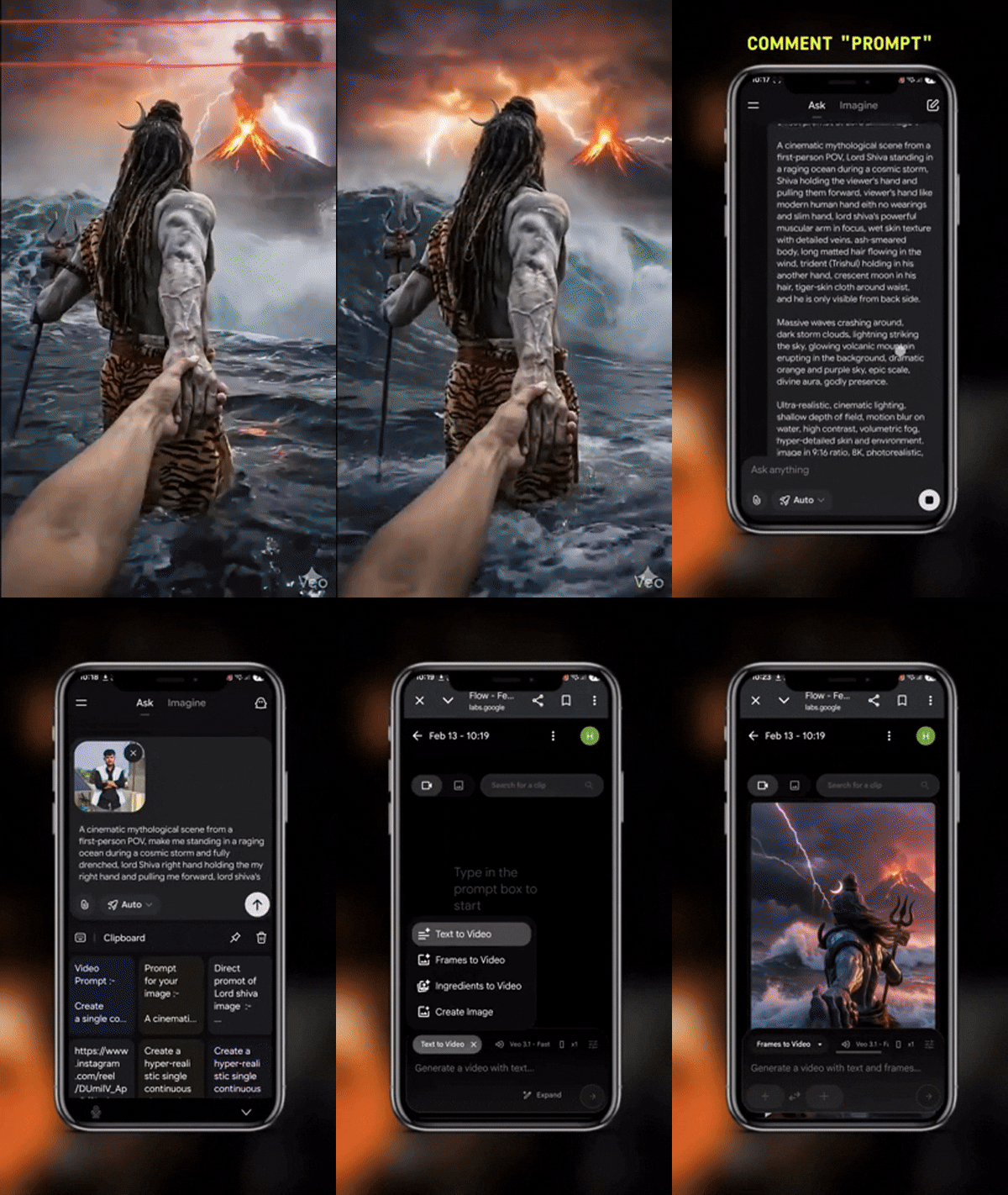
AI Prompt Used
Prompt 1st:
A cinematic mythological scene from a first-person POV, Lord Shiva standing in a raging ocean during a cosmic storm, Shiva holding the viewer's hand and pulling them forward, viewer's hand like modern human hand eith no wearings and slim hand, lord shiva's powerful muscular arm in focus, wet skin texture with detailed veins, ash-smeared body, long matted hair flowing in the wind, trident (Trishul) holding in his another hand, crescent moon in his hair, tiger-skin cloth around waist, and he is only visible from back side.
Massive waves crashing around, dark storm clouds, lightning striking the sky, glowing volcanic mountain erupting in the background, dramatic orange and purple sky, epic scale, divine aura, godly presence.
Ultra-realistic, cinematic lighting, shallow depth of field, motion blur on water, high contrast, volumetric fog, hyper-detailed skin and environment, image in 9:16 ratio, 8K, photorealistic, movie still, epic fantasy realism.
Prompt 2nd:
A cinematic mythological scene from a first-person POV, make me standing in a raging ocean during a cosmic storm and fully drenched, lord Shiva right hand holding the my right hand and pulling me forward, lord shiva's powerful muscular arm in focus, wet skin texture with detailed veins. Make only lord Shiva's hand visible in frame.Massive waves crashing around, dark storm clouds, lightning striking the sky, glowing volcanic mountain erupting in the background, dramatic orange and purple sky, epic scale, divine aura, godly presence.Ultra-realistic, cinematic lighting, shallow depth of field, motion blur on water, high contrast, volumetric fog and dark sky, hyper-detailed skin and environment, image in 9:16 ratio, 8K, photorealistic, movie still, epic fantasy realism.
Prompt 3rd:
Create a single continuous cinematic shot using the two uploaded images as the start and end reference. The video begins in a first-person POV. The camera shows only the front person's shoulder, arm, and hand holding the viewer's hand. The camera moves forward naturally, as if the viewer is walking through ocean waves.
Water splashes, rain falls, lightning flashes, and a volcano erupts in the background. Without any cuts or scene changes, the camera smoothly moves around the subject in one fluid motion, maintaining the hand-holding connection. The movement feels like a natural body-mounted camera (steady but realistic). As the camera completes the movement, it ends facing me, fully revealing my face and body while I continue walking forward through the water, still holding the viewer's hand. Technical Style: Single take, one-shot camera, no cuts, no jumps, smooth cinematic motion, realistic physics, slow motion water splashes, dramatic lighting, ultra-realistic textures, epic storm atmosphere, 4K cinematic quality, natural human movement, stable focus, no flicker.
Click or tap to copy
About This AI Prompt
Google Imagen 3 Google's most advanced text-to-image model with photorealistic quality. Whether you need photorealistic, detailed rendering, text integration, this platform delivers exceptional results for your creative projects.
Comments
Add a Comment
No comments yet. Be the first to share your thoughts!