Double Exposure Poster Cinematic Ai Photo Editing Prompt
0Likes
35Views
0Comments
AI Prompt Used
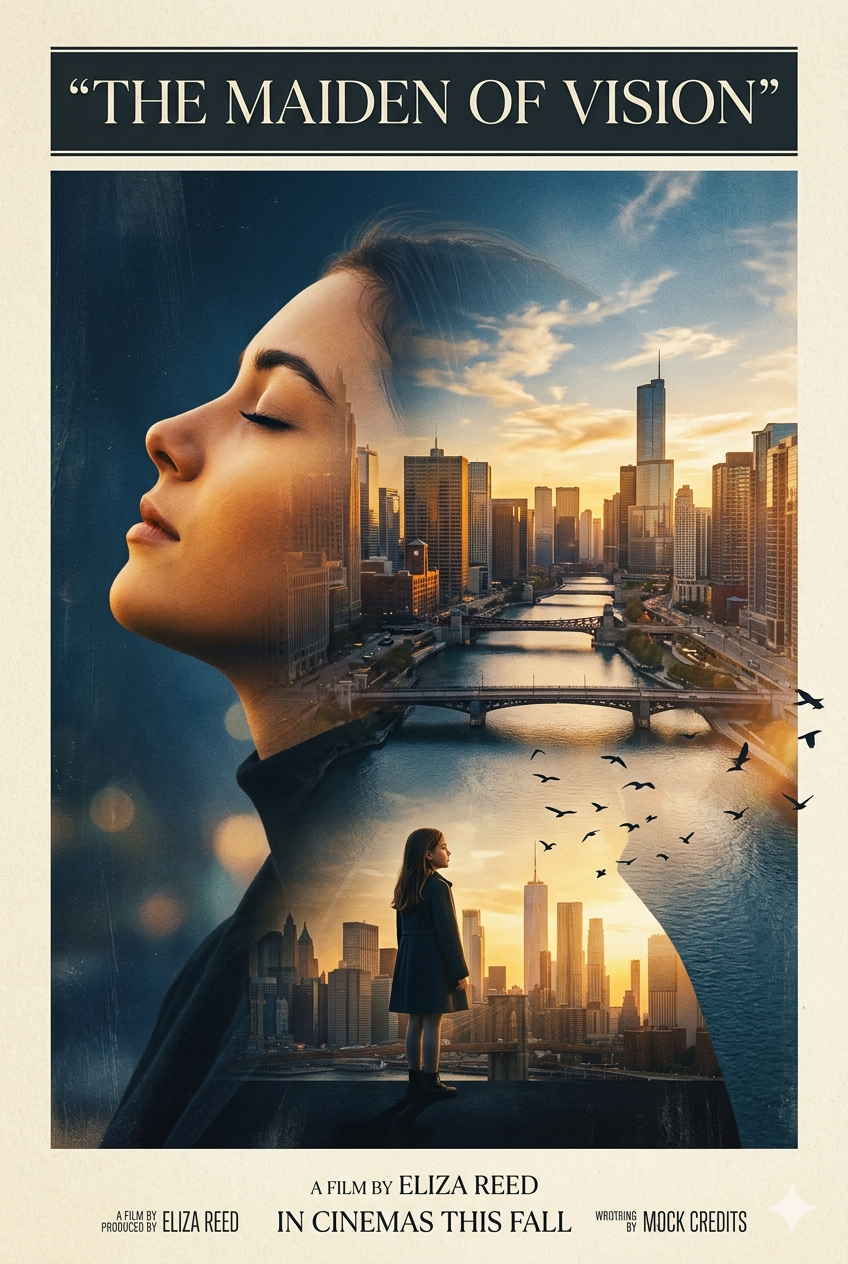
"A cinematic double-exposure poster of a young woman in side profile, eyes closed, looking upward with a calm, visionary expression. Her silhouette blends seamlessly into a glowing sunset cityscape with rivers, bridges, and skyscrapers. Inside the lower portion of the silhouette stands a lone girl facing the skyline at golden hour, symbolizing ambition and destiny. Soft birds fly across the composition, adding motion and freedom. Warm orange and gold tones contrast against deep shadowy blues within the portrait. Minimalist cream background with elegant serif typography at the top reading “The Maiden of Vision.” Ethereal lighting, painterly textures, atmospheric depth, modern editorial poster design, emotional storytelling, ultra-detailed, cinematic composition, artistic double exposure, soft brush textures, premium movie-poster aesthetic.
Click or tap to copy
About This AI Prompt
The Double Exposure Poster Cinematic AI Photo Editing Prompt is an advanced artistic trend that merges portrait photography with narrative backgrounds to create movie-poster-quality visuals. Using Google Gemini or similar tools, users upload a portrait and paste prompts like "create a cinematic double exposure poster of me — my side profile silhouette filled with a rainy city street at night, neon reflections, lonely figure walking away, moody blue and orange tones, film grain, title space at bottom, 4K, 'Blade Runner meets Her' aesthetic" . The AI generates breathtaking, story-driven posters that look like indie film marketing — perfect for personal branding, artistic portfolios, or creative wall art.
Comments
Add a Comment
No comments yet. Be the first to share your thoughts!