Free-Fire Friends Group Ai Photo Editing Prompt
0Likes
165Views
0Comments
AI Prompt Used
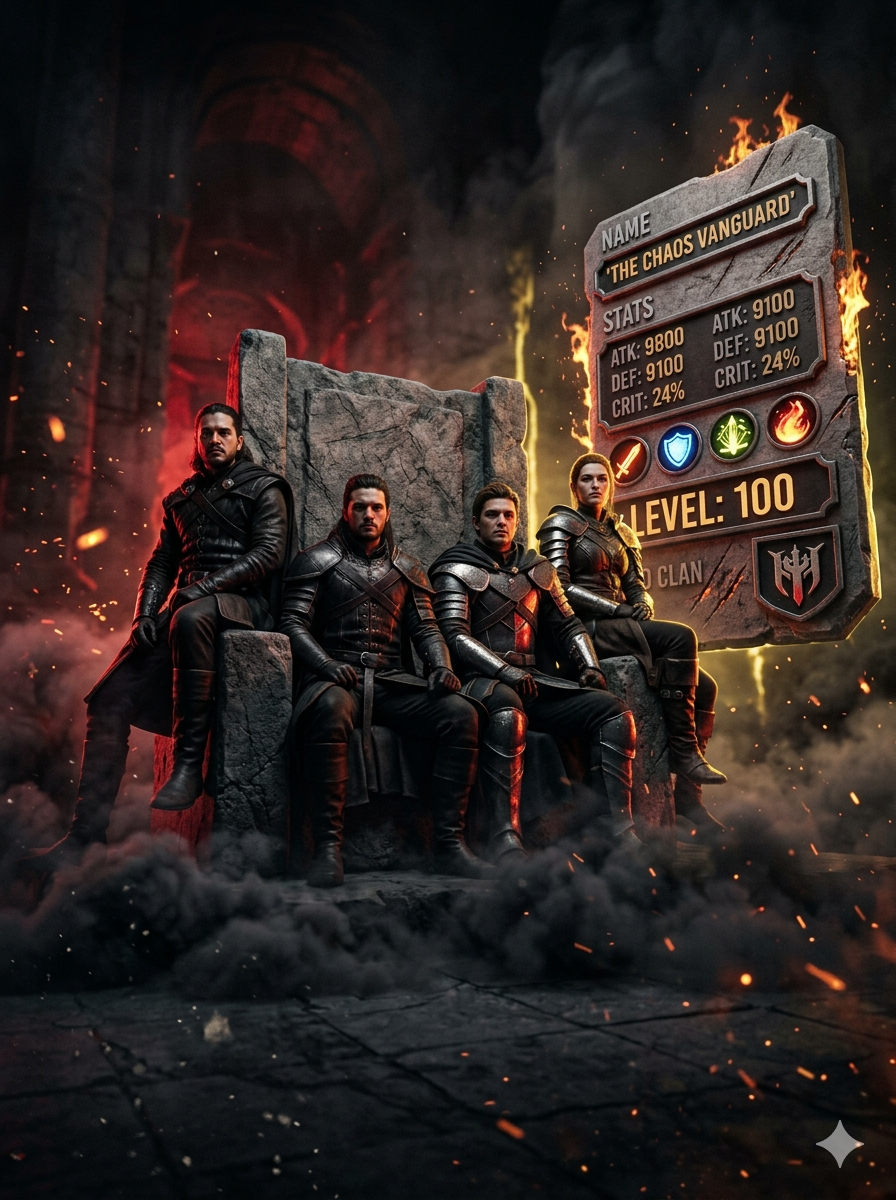
Ultra-realistic, extreme low angle perspective cinematic portrait of a gaming fours characters ( remove unwanted weapon pets from them) side view side look, (same face as reference) sitting firmly on a grand, stone chair, one hand resting on the hilt of a glowing sword placed vertically with an camera angles. Their posture back straight, viewer. The background has a mix of red and electric golden lighting, with floating dust and motion suggesting chaos. Style: cinematic power shot, 8K detail, dark contrast, dramatic Tools and also smoke in the ground dark smoke and the glowing sword on all character hand behind their shoulder confidence,
dominance pose lighting. Their dress unchanged from reference image and beside the character add Gaming profile with 3d style and fire on the profile and scratch and like stone type of profile and all visible, name, sates, icons,lvl with high quality the gaint size of profile, in the ratio 3.4 extreme low angle shot, all character looking at camera directly
Click or tap to copy
About This AI Prompt
Google Imagen 3 Google's most advanced text-to-image model with photorealistic quality. Whether you need photorealistic, detailed rendering, text integration, this platform delivers exceptional results for your creative projects.
Comments
Add a Comment
No comments yet. Be the first to share your thoughts!